
Popping at the nozzle, strings everywhere, and a rough, fuzzy finish on a print that should look clean. If that sounds familiar, there is a good chance your filament has soaked up water from the air. A filament dryer is one of the easiest fixes, but not every maker needs one.
We sell filament to makers every day here in Roanoke, Texas, and drying is one of the questions we hear most. This guide covers how to tell when filament is wet, the drying temperatures and times for PLA, PLA Pro, PETG, ABS and TPU, how a dedicated filament dryer compares to an oven or food dehydrator, and how to store spools so you dry them less often.
What Does a Filament Dryer Do?
Most 3D printing filaments are hygroscopic, which means they pull moisture out of the air. When wet filament hits a hot nozzle, that water turns to steam. The molten plastic bubbles and extrudes unevenly, and you get stringing, holes, rough surfaces and weaker parts.
A filament dryer is a small heated box made to hold one or more spools. It warms the filament to a low, steady temperature, well below its printing temperature, for several hours so the trapped moisture can escape. Many dryers also let you feed filament straight from the box to your printer, so the spool stays dry while you print.
For a deeper look at the science, see our post on why filament absorbs moisture.
Signs of Wet Filament
Watch and listen for these symptoms:
- Popping, crackling or hissing at the nozzle as the filament extrudes
- Bubbles, steam or wisps of smoke coming out with the plastic
- Stringing and oozing that retraction tuning won’t fix
- Rough, fuzzy or pitted surfaces where you expected a smooth finish
- Blobs and inconsistent extrusion
- Weak layer adhesion, so parts split or break more easily than they should
Some of these overlap with other problems, like a partial clog, the wrong nozzle temperature or bad retraction settings. If a spool has been sitting out for a while, drying it is one of the quickest things to rule out before you start changing slicer settings. Our guides on fixing filament stringing and why filament snaps cover the other common causes.
Do You Need a Filament Dryer?
Not always. Here is a simple way to decide.
You can probably skip a dryer if:
- You print mostly PLA or PLA Pro
- You use up spools within a few weeks
- You keep open spools sealed in a bag or bin with desiccant between prints
- Your prints look clean and you don’t hear popping
A filament dryer is worth it if:
- You print TPU or PETG regularly. Prusa lists TPU among the materials that need drying more often than PLA.
- Your printer lives in a humid garage, shop or basement
- You run long prints, or several printers, with spools sitting out for days
- You’re seeing the wet filament signs above even after a careful tune
Moisture comes back faster than most people expect. Bambu Lab notes that typical indoor air sits around 45% to 65% relative humidity, and that freshly dried filament left out at around 55% humidity can pick up enough moisture to affect print quality within 2 to 12 hours, depending on the material. That is why a dryer you can print from, or a sealed dry box, matters most for moisture-sensitive materials.
Filament Drying Temperatures and Times by Material
The chart below gives starting points pulled from published manufacturer guides (Prusa, Bambu Lab, 3DXTECH and Flashforge). Their numbers differ a bit, so we show a range. Start at the low end, and dry longer before you go hotter.
| Material | Drying temperature | Drying time | Notes |
|---|---|---|---|
| PLA | 45 to 50°C (113 to 122°F) | 4 to 8 hours | Lowest heat tolerance. Too much heat can soften it and fuse the coils together. |
| PLA Pro | 45 to 50°C (113 to 122°F) | 4 to 8 hours | Treat it like PLA unless the spool label says otherwise. |
| PETG | 55 to 65°C (131 to 149°F) | 4 to 8 hours | Prusa lists 55°C for its PETG. Stay at or under 65°C unless the label says otherwise. |
| ABS | 65 to 80°C (149 to 176°F) | 4 to 8 hours | Manufacturers list about 80°C, but only go that high if your dryer and spool can handle it. |
| TPU | 50 to 65°C (122 to 149°F) | 4 to 8 hours | Bambu Lab lists drying as required before use for its TPU. Dry it before important prints. |
A few rules apply to every material:
- Check the spool label first. If the filament maker lists a drying temperature, use it instead of a generic chart.
- Check the spool, not just the filament. Some plastic and cardboard spools can warp or loosen at higher temperatures. Bambu Lab warns that some third-party spools aren’t heat resistant enough for drying.
- Start low and go longer. A spool that needs a few more hours is fine. A spool cooked until the coils stick together usually isn’t.
- Test after drying. Print something small with walls and retractions. If the popping is gone and the surface is cleaner, you’re done.
For more on flexible filament, read our full guide on how to dry TPU filament.
Drying temperature is not printing temperature
This trips people up. Our ABS prints at 255°C on the nozzle, and our PLA Pro at 220°C. You dry them at a small fraction of that. Never type your slicer’s nozzle temperature into a dryer or oven.
Filament Dryer vs. Oven vs. Food Dehydrator
There is more than one way to dry a spool. Here is how the common options compare.
| Method | Temperature control | Print while drying? | Main risk |
|---|---|---|---|
| Dedicated filament dryer | Good, made for filament | Usually yes | Some models don’t get hot enough for ABS |
| Food dehydrator | Fair, usually low temps only | No (unless modified) | Spool may not fit, temps may top out low |
| Kitchen oven | Poor at low settings | No | Hot spots and temperature swings can ruin a spool |
| Heated bed in an enclosed printer | Fair | No | Only for enclosed printers, and the spool needs a cover |
Dedicated filament dryer
This is the easiest and most consistent option. You set the material, close the lid, and come back in a few hours. When you shop for one, check:
- Maximum temperature. Make sure it reaches the temperature your materials need. For example, Creality lists its Space Pi Plus at 45 to 70°C, which covers PLA, PETG and TPU but sits below the roughly 80°C many manufacturers suggest for ABS.
- Spool capacity and fit. Count how many spools you want to dry at once and check the maximum spool width.
- A feed port so you can print straight from the dryer.
- A humidity readout, which helps you see when the job is done and when the box needs attention.
Food dehydrator
A food dehydrator can work well. Prusa notes that most people adapt one by removing the trays so a spool fits inside. Check the temperature dial against the chart above before you buy, since many dehydrators run on the low side. Keep the spool off the heating element so air can move around it, and once a dehydrator has been used for filament, keep it for filament only.
Kitchen oven
We don’t recommend it. Prusa points out that home ovens aren’t precise at low temperatures and that many can’t be set low enough for filament at all. Bambu Lab advises against kitchen ovens because heat near the elements gets hot enough to damage a spool. If an oven is truly your only option, use a separate oven thermometer, stay at the low end of the chart, keep the spool away from the elements, and check on it often.
Heated bed in an enclosed printer
Some enclosed printers can dry a spool on the heated bed with the spool covered by a box or lid. Bambu Lab documents this for several of its enclosed models and says open-frame printers can’t be used this way. Follow your printer maker’s own instructions if you try it.
Never use a microwave
Bambu Lab specifically warns against microwaves because the heat is uneven and the temperature can’t be controlled. A heat gun or a sunny windowsill isn’t a good idea either.
How to Store Filament So You Dry It Less
Drying fixes a wet spool. Good storage keeps it from getting wet again.
- Keep new spools sealed in their bag until you’re ready to print.
- Bag open spools with desiccant. Prusa recommends vacuum bags or any bag that fits the spool, with a desiccant pack inside.
- Use a dry box with a hygrometer for the spools you print most. Bambu Lab says most filaments only stay dry for a while when stored below about 20% relative humidity, so a cheap humidity gauge tells you when to act.
- Recharge your desiccant. Color-changing silica gel shows when it’s full. Bambu Lab’s guide for its own silica gel says to regenerate it at 80 to 90°C and never above 100°C.
- Store the sensitive stuff first. If space is tight, give your dry box to TPU and PETG and keep PLA bagged.
Our full guide on how to store filament properly goes into bins, bags and desiccant in more detail.
Drying Tips for Print Farms and Busy Shops
If you run several printers or sell prints, wet filament costs you real money in failed parts. A few habits help:
- Dry before long or important prints, especially PETG and TPU.
- Feed from a dryer or dry box on machines that run all day.
- Don’t overbuy. Spools you’ll use in the next few weeks spend less time open.
- Track it. Note which spools gave you trouble and how long they were open.
Running a side business? Our guide on how to make money with a 3D printer covers cost per print, pricing and where to sell. If you buy 10 or more spools at a time, our wholesale program offers case pricing for print farms, schools and makerspaces.
Start With Fresh Filament
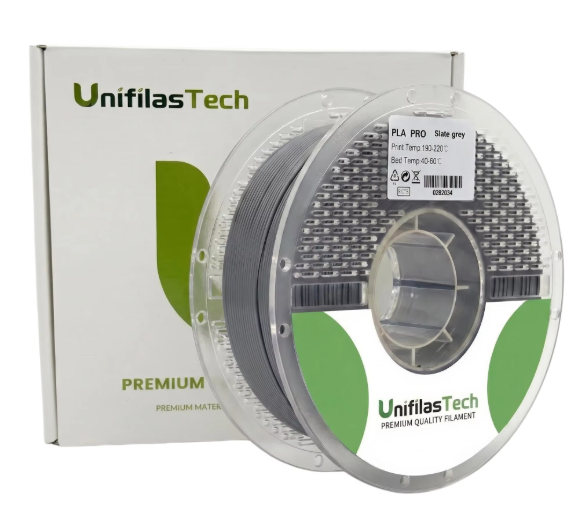
Drying saves a damp spool, but starting with fresh filament and storing it well saves you the trouble. We stock UniFilasTech filament in 1.75 mm:
- PLA Pro, PETG and ABS on 1 kg spools, $15.99 each
- TPU 9075A ShoeFlex on 750 g spools, $18.99
- Mix and match PLA Pro, PETG and ABS with a 3-Spool Pack for $44.99 or a 5-Spool Pack for $71.99
New customers can take 15% off a first order with code WELCOME15. Orders ship from Roanoke, TX with USPS tracking, and in Dallas-Fort Worth you can choose free local pickup in Roanoke by appointment. Shop all filament.
FAQ: Filament Dryers and Drying Filament
Do I need a filament dryer for PLA?
Usually not. Prusa notes that PLA doesn’t change much when it picks up humidity, so storing it sealed with desiccant is often enough. If an old or open PLA spool starts popping or stringing, dry it at 45 to 50°C for 4 to 8 hours.
What temperature should I dry PETG at?
Start around 55 to 65°C (131 to 149°F) for 4 to 8 hours. Use the filament maker’s number if the spool lists one, and check that your spool can handle the heat.
What temperature should I dry ABS at?
Manufacturer guides list about 65 to 80°C (149 to 176°F) for 4 to 8 hours. Only go toward 80°C if your dryer and spool are rated for it. Keep in mind that drying temperature is far below ABS printing temperature, which is 255°C for our ABS.
Can I dry filament in my oven?
It’s not recommended. Kitchen ovens swing in temperature and have hot spots, and many can’t be set low enough for PLA. If you must, use a separate oven thermometer, stay at the low end of the range, and watch the spool closely. Never use a microwave.
Can I use a food dehydrator to dry filament?
Yes, as long as the spool fits and the dehydrator reaches the temperature your material needs. Remove trays so the spool sits clear of the heating element, and keep that dehydrator for filament only.
How long does it take to dry filament?
Most common filaments need about 4 to 8 hours. A spool that has sat out in a humid space for weeks may need a longer session or a second cycle.
How do I keep filament dry after drying it?
Store it right away in a sealed bag or dry box with fresh desiccant. Freshly dried filament can pick up moisture again within hours in typical indoor air, so print from a dryer or dry box when you can.