
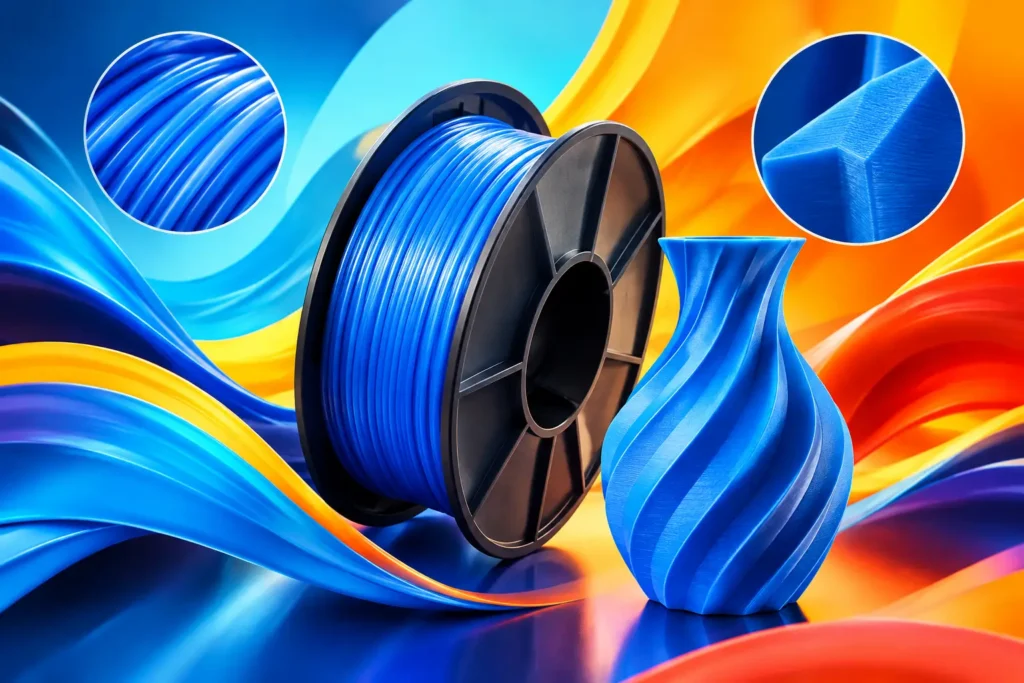
A PETG quality review starts where most frustrating prints fail: the first layer may look perfect, then stringing builds around every opening, corners lift, and a supposedly strong part splits at the layer lines. PETG can make excellent brackets, enclosures, organizers, guards, and prototypes, but only when the filament and the setup are working together. The goal is not a glossy benchy. It is a repeatable material that holds up when your print has a job to do.
What Good PETG Should Deliver
PETG sits in a useful middle ground. It is generally tougher and more heat-tolerant than standard PLA, while being easier to print than materials that demand a fully enclosed machine. That balance makes it a go-to for parts that need more than display-piece strength.
Quality PETG should feed consistently, lay down smooth and well-bonded layers, and produce a part with dependable strength in the directions that matter. It should not force you to chase a different profile every time you open a new spool. Some fine tuning is normal because printers, hot ends, and room conditions vary. Wild variation is not.
A good spool also gives you options. Transparent PETG can make light covers and visual prototypes stand out, while Black, White, Ash Grey, Red, and Sky Blue are practical choices for finished parts that need a clean, intentional look. Color should not come at the cost of extrusion consistency or surface finish.
PETG Quality Review: The Signs to Check First
Start with the spool before it reaches the printer. Filament should be evenly wound without loose loops that can snag during a long job. The coil does not need to look machine-perfect in every layer, but it should unwind freely and stay controlled on the spool. A tangled spool can turn an overnight print into a failed pile of plastic even when every slicer setting is right.
Diameter consistency matters because your printer assumes a steady volume of material is entering the hot end. Noticeable variation can show up as alternating thick and thin walls, inconsistent top layers, weak spots, or an unpredictable extrusion multiplier. You may not measure every meter with calipers, but the finished print tells the story quickly.
Moisture is another major quality signal. PETG absorbs water from the air more readily than many makers expect. Wet filament may pop or hiss in the nozzle, leave tiny surface pits, increase stringing, and reduce the clean shine PETG is known for. A brand-new spool can still need drying if it has been exposed to poor storage conditions before it reaches you.
The most useful test is not a tiny calibration cube. Print something that reveals real behavior: a small box with bridges and openings, a threaded cap, or a functional hook with a few hours of print time. You will learn more about flow, cooling, stringing, and layer bonding from that part than from a 15-minute cube.
Smooth Surface Is Only Half the Story
PETG often earns attention for its slightly glossy surface, and a clean finish is a fair quality marker. Even walls, readable details, controlled seams, and tidy overhangs show that the material is melting and flowing predictably. But do not judge the entire spool by shine alone.
A part can look great and still be too brittle at the layer lines. For functional prints, inspect how the layers fuse. If you can separate them with modest hand pressure, raise nozzle temperature in small steps, reduce excessive cooling, or check that the filament is dry. PETG typically benefits from more heat and less fan than PLA, especially when you want strong layer adhesion.
At the same time, too much heat can make PETG droop on bridges, swell around small details, and leave extra material at seams. The right temperature is the lowest point that gives complete layer fusion and steady extrusion without turning your model into a stringy mess. It depends on your printer, nozzle, speed, and the geometry of the part.
Dialing In PETG Without Chasing Problems
PETG rewards a controlled approach. Use the temperature range supplied for your specific filament as a starting point, then make one adjustment at a time. Changing temperature, retraction, cooling, and speed all at once creates more questions than answers.
First-layer behavior deserves extra attention. PETG can grip some print surfaces aggressively, particularly smooth PEI or glass. A slightly higher nozzle offset than your PLA profile may help prevent the first layer from being mashed into the surface. A suitable release layer or a print surface designed for PETG can also protect both the plate and the part. Strong adhesion is useful. Permanently bonding a print to your build plate is not.
Stringing is the PETG complaint makers mention most often. Retraction helps, but pushing retraction too far can cause jams or inconsistent extrusion, especially on a direct-drive versus Bowden setup. Dry the filament first, verify the nozzle is clean, then tune temperature and retraction methodically. Fast travel moves can reduce wisps, but they cannot fix moisture or a temperature that is plainly too high.
Print speed should match the machine’s ability to maintain consistent flow. PETG is not the material to run at maximum advertised speed just because your printer can move that fast. A moderate speed with stable extrusion often produces stronger walls, better dimensional accuracy, and less cleanup. For a bracket that supports weight, those gains matter more than finishing 20 minutes sooner.
Test the Parts You Actually Plan to Use
Material reviews become useful when they match the application. A decorative vase and a garage-mounted tool holder do not demand the same things from PETG. If you print functional parts, test a part that resembles the final job in wall count, orientation, and loading direction.
For a clip or snap-fit piece, look for flex without whitening, cracking, or permanent deformation. For a threaded container, test whether the threads engage cleanly and survive repeated use. For a mounting bracket, apply gradual load and watch the layer orientation. PETG can be impressively tough, but no filament can overcome a design that puts all stress across weak layer boundaries.
Also consider heat. PETG is a better choice than standard PLA for many warm environments, but it is not a universal answer for high-heat applications such as car interiors in extreme summer conditions or parts close to an engine. The right material depends on the real environment, not the label on the spool.
Value Means Fewer Failed Hours
The cheapest spool is rarely the best deal if it wastes a weekend of printing. Filament value comes from reliable winding, steady extrusion, workable settings, usable color, and parts that perform after they leave the build plate. That is why consistency matters as much as raw price.
For makers who want dependable everyday PETG without enterprise-material pricing, Ddub Tech focuses on the practical wins: smoother output, reliable performance, and colors that work for prototypes and finished builds. Keep unopened backup spools stored in a dry, sealed container, and label any opened spool with the date. That small habit makes it easier to tell whether a later issue is material behavior or moisture picked up in your own workspace.
When PETG Is the Right Call
Choose PETG when you need a durable, practical part with better toughness and heat resistance than typical PLA, and when you want to print without the demanding enclosure requirements of ABS. It is especially well suited to shop fixtures, electronics housings, storage hardware, outdoor items with limited exposure, and prototype parts that need to survive handling.
Choose something else when the project needs very sharp cosmetic detail with minimal cleanup, extreme heat resistance, or the stiffest possible part. PLA Pro may be a simpler path for clean visual models and rigid indoor pieces. ABS may fit enclosed-printing projects that need greater heat performance. TPU belongs in the conversation when flexibility is the feature, not a flaw.
Your best PETG print is not the one that looks good for a photo. It is the part you install, use, flex, load, and trust without thinking twice. Start with dry filament, tune for your machine, and let the finished part prove the quality.