
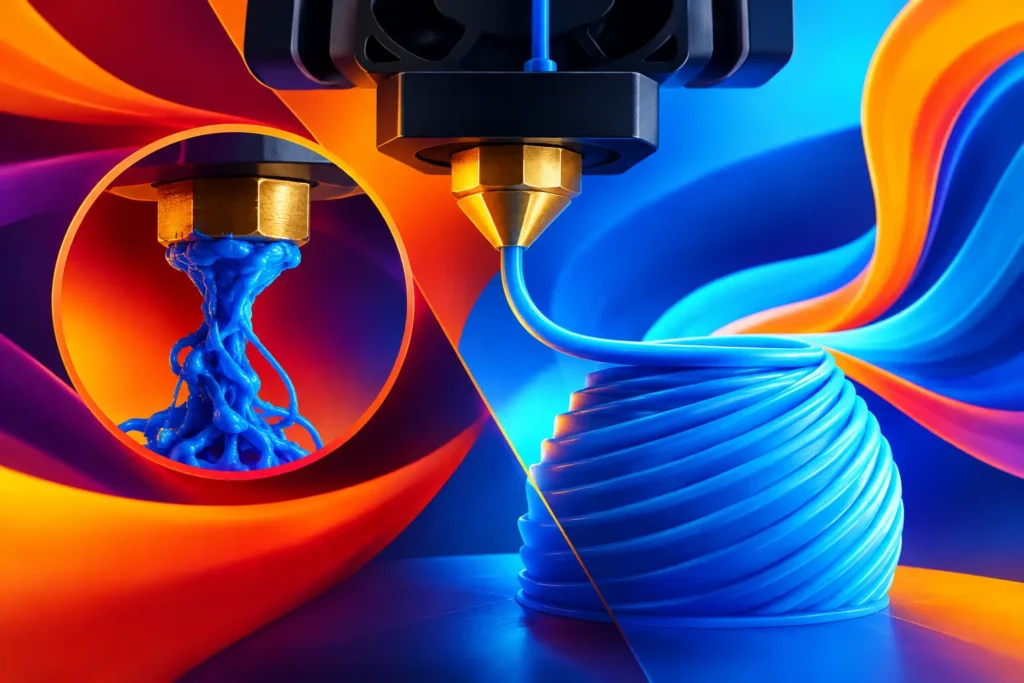
TPU can turn ordinary prints into grips, bumpers, gaskets, wearable parts, and impact-resistant prototypes. But its flexibility also changes the rules inside your printer. To prevent TPU nozzle jams, you need to control the entire filament path, not just raise the nozzle temperature and hope for the best.
A jam is rarely one mystery problem. Flexible filament can absorb moisture, buckle near the drive gears, drag through a rough path, or sit too long in a hot nozzle. Solve the right cause and TPU becomes far more predictable.
Why TPU Jams Differ From PLA Jams
PLA is rigid enough to behave like a push rod. TPU is not. When the extruder applies pressure, soft filament can compress and bend before it reaches the melt zone. Any open space between the drive gear and the hotend becomes an opportunity for the filament to escape sideways instead of moving forward.
That is why a printer that handles PLA beautifully can struggle with TPU. A fast retraction, an aggressive feeder, or a loose Bowden tube may be barely noticeable with rigid filament and disastrous with flexible material.
The goal is simple: give TPU a short, supported, low-friction route from spool to nozzle. Then use settings that keep pressure stable rather than constantly starting, stopping, and pulling molten material backward.
Start With Dry TPU
TPU is hygroscopic, meaning it pulls moisture from the air. Wet filament may still extrude, but the water flashes into steam in the hotend. You may hear popping, see tiny bubbles or rough surfaces, and eventually get inconsistent flow that looks like a clog.
Dry your TPU before a long print, especially if the spool has been open for more than a few days in a humid workspace. A filament dryer is the easiest option. A controlled food dehydrator can also work if it holds a safe, stable temperature. Follow the filament maker’s drying guidance, and do not use a kitchen oven unless you know it can regulate low temperatures accurately. Many ovens swing far enough to deform a spool.
Keep the spool dry while printing if your shop is humid or the job will run overnight. A dry box with a smooth filament outlet reduces moisture pickup and can make surface quality noticeably cleaner.
Build a Better Filament Path to Prevent TPU Nozzle Jams
The best TPU setting cannot overcome poor filament guidance. Look closely at the path from your spool holder to the extruder and from the extruder to the hotend. The filament should travel smoothly, with no sharp bends, loose fittings, or places where it can snag.
A direct-drive extruder is usually the easiest setup for TPU because the drive gear sits close to the hotend. It reduces the length of unsupported filament and gives you more direct control over extrusion. Bowden printers can print TPU too, but they demand slower speeds, lower retraction, and a firmly seated PTFE tube.
On a Bowden system, inspect both ends of the tube. If the tube is worn, ovalized, or not fully seated against the nozzle or heat break, melted TPU can expand into the gap. That creates a plug that looks like a nozzle clog but is actually a path-fitting problem.
Also check your spool holder. TPU should unroll with light, even tension. A spool that jerks or binds makes the extruder work harder, which can lead to gear grinding and intermittent under-extrusion.
Use Heat for Flow, Not for Guesswork
TPU needs enough heat to flow without excessive pressure. Too cool, and the extruder has to force thick material through the nozzle. The drive gear can chew into the filament, and the material may bunch up before it reaches the melt zone. Too hot, and TPU becomes overly soft, can ooze heavily, and may degrade if it stays in the nozzle too long.
Start within the temperature range specified for your spool, then tune in small increments. Print a compact temperature tower or a small functional test part at your normal speed. Look for smooth layer lines, steady extrusion, and clean wall consistency rather than chasing the glossiest possible finish.
If you see under-extrusion only during fast moves or dense infill, a small temperature increase may help. If the print has excessive stringing, dark specks, or a burnt smell after sitting hot for a while, lower the temperature slightly or reduce idle time. Temperature and speed work together. Faster printing generally requires more heat because the nozzle must melt more material each second.
Slow Down and Keep Extrusion Steady
TPU rewards control. A moderate speed gives the hotend time to melt the filament and gives the extruder time to move it without compressing it into a knot. The exact number depends on TPU hardness, nozzle size, printer design, and layer height, but starting slower than your PLA profile is the smart move.
Do not focus only on the main print speed. First-layer speed, outer-wall speed, infill speed, and travel behavior all matter. A slow first layer improves adhesion and avoids sudden pressure spikes. Slower outer walls often produce cleaner, more consistent flexible parts.
Acceleration deserves attention too. High acceleration causes rapid changes in filament pressure. On soft TPU, those pressure swings can create blobs, gaps, and extruder skipping. Lowering acceleration often improves quality without making the print feel painfully slow.
Retraction Is Usually the Trouble Spot
Retraction pulls filament backward to reduce stringing during travel moves. With TPU, too much retraction can pull soft material into a cooler section of the hotend, where it expands and sticks. It can also create enough compression in the feeder path to cause buckling.
Start with very low retraction, particularly on direct-drive printers. Bowden setups may need more, but use the lowest amount that keeps stringing acceptable. Keep retraction speed conservative as well. Fast retractions are great at turning flexible filament into a problem.
A little stringing is often a better trade than a failed print. You can reduce it through sensible temperature tuning, travel optimization, and drying rather than trying to eliminate every fine strand with aggressive retraction. For many functional TPU parts, a quick cleanup is cheaper than restarting a multi-hour job.
Check Extruder Tension and Nozzle Condition
More tension is not automatically better. If the idler is tightened too much, the drive gear can bite deeply into TPU and strip a groove. Too little tension allows the gear to slip. Set enough pressure for consistent feeding, then inspect the filament after a short test. Deep tooth marks or chewed material mean the tension is too high or the nozzle resistance is too great.
A partially blocked nozzle can make every TPU issue worse. If flow has gradually become inconsistent across several materials, clean or replace the nozzle before endlessly changing slicer settings. TPU can also leave residue behind if it overheats, so avoid leaving it parked at printing temperature during long pauses.
If you switch often between abrasive filaments and TPU, inspect the nozzle diameter. A worn nozzle may alter flow and make profile tuning less reliable. For standard TPU, a clean brass nozzle is usually a solid starting point, while a larger nozzle can reduce back pressure for thicker, faster functional prints.
A Fast TPU Jam Checklist
When extrusion stops or becomes erratic, pause before changing five settings at once. Check these causes in order:
- Confirm the spool feeds freely and the filament has not crossed over itself.
- Inspect the drive gear for ground-up TPU dust and clean it if needed.
- Verify the PTFE tube, heat break, and nozzle are seated with no internal gap.
- Dry the filament if it pops, bubbles, or has been exposed to humid air.
- Lower speed and retraction before making large temperature changes.
This order matters because it separates mechanical drag from moisture and slicer issues. A wet spool will not be fixed by a new retraction value, and a loose Bowden fitting will not be fixed by printing at 10 mm/s.
Tune for the Part You Actually Need
A soft phone bumper, a flexible hinge, and a vibration-damping foot do not need identical settings. For a cosmetic item, you may accept a slower print and minimal stringing for cleaner walls. For a thick, durable shop part, a larger nozzle and wider extrusion lines can reduce pressure in the hotend while delivering a stronger result.
Harder TPU grades generally print more easily than very soft grades, but there is no universal profile. Treat the first spool as a calibration project. Once you find a stable combination of dry filament, controlled speed, low retraction, and the right temperature, save that profile and build from it.
Quality TPU should help your printer create, not fight back. Ddub Tech TPU is made for makers who want strong, smooth flexible parts without turning every print into a troubleshooting session. Keep the filament dry, support its path, and let steady extrusion do the work – your next flexible print has a much better chance of finishing exactly as planned.