
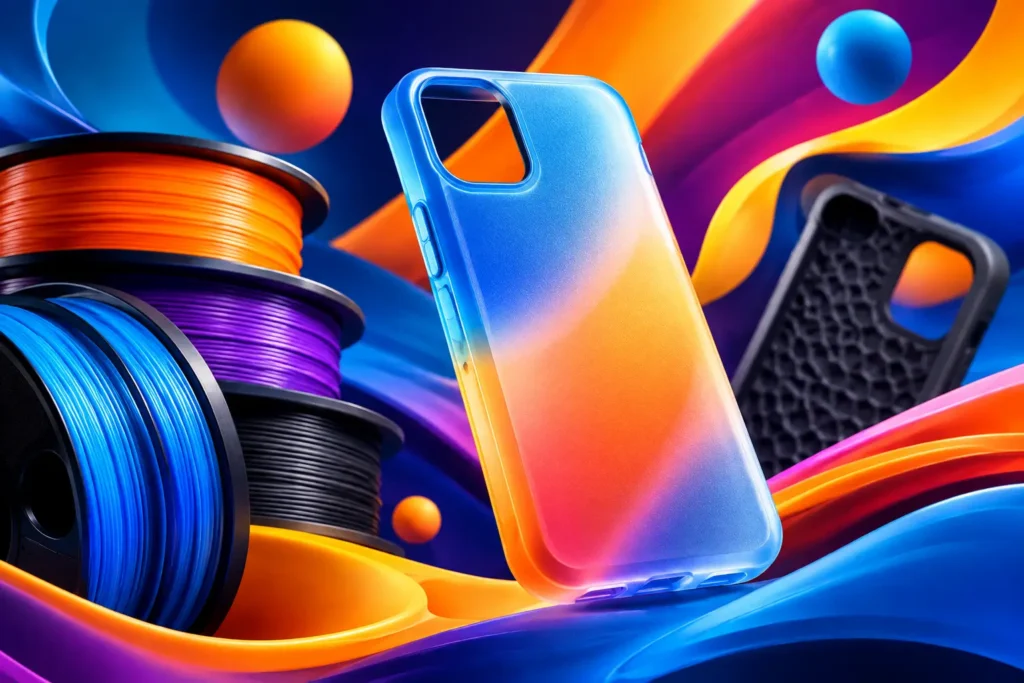
A phone case is a tough test for flexible filament. It needs to snap around a rigid device without splitting, absorb the daily hits, keep clean edges around buttons and ports, and still look like something you want to carry. The best TPU phone case filament is not simply the softest spool on the shelf. It is the TPU that gives you controlled flex, consistent extrusion, and enough surface quality to make a case worth using.
For most makers, that means starting with a medium-flex TPU rather than chasing an ultra-soft material. A well-tuned 95A TPU is often the sweet spot: flexible enough for shock protection and easy installation, yet firm enough to feed reliably through common consumer and prosumer printers. Get that balance right, and your printer can turn out custom cases for your own phone, prototypes, gifts, and small-batch projects without the frustration of stringy, misshapen prints.
What Makes the Best TPU Phone Case Filament?
Phone cases demand a different kind of performance than a TPU bumper, gasket, or cosplay part. The material must stretch slightly, then return to shape. It must also hold fine geometry where it matters most: the camera opening, button covers, charging port cutout, speaker holes, and the thin lip that keeps the screen off a table.
Start with hardness. TPU is commonly described with a Shore A rating. Lower numbers are softer and more rubbery; higher numbers are firmer. TPU around 95A is a practical starting point for printed phone cases because it offers a familiar flexible-case feel while remaining manageable on many machines. Softer TPU, such as 85A or below, can create a grippier, more cushioned result, but it is harder to print cleanly and may make a loose or floppy case if the design is not built for it.
Consistency matters just as much as hardness. A case wall can be only a few millimeters thick, so uneven diameter, moisture, or inconsistent melt flow can show up as weak spots, rough seams, and poor fit. Quality TPU should feed smoothly, lay down even layers, and produce a clean finish without forcing you into endless retuning. This is where reliable filament earns its place on your bench.
Color is also more than an aesthetic decision. Black and Ash Grey hide layer lines and daily scuffs well. White makes design flaws easier to spot but delivers a crisp, modern look. Transparent TPU can create a clean, minimal case, although internal print artifacts will be more visible. Bright colors like Red or Sky Blue put the custom-print advantage front and center.
Choose Your TPU by Printer and Case Design
The right spool depends on the printer you own and the type of case you want to make. Direct-drive extruders are the easiest platform for TPU because the filament has a short, supported path from drive gears to nozzle. That support reduces buckling and gives you more control over retraction and flow.
Bowden setups can print TPU too, especially firmer grades, but they reward patience. Keep the filament path tight, reduce print speed, and avoid aggressive retraction. If your extruder has gaps where soft filament can escape or bunch up, address those before starting a long case print. A clean feed path solves more TPU problems than a dozen random slicer changes.
Your model matters, too. A thin, minimalist shell needs firmer material and accurate dimensions because there is less structure to keep it stable. A bumper-style design can use more flexible TPU, with thicker corners and a raised screen lip for improved impact protection. If you are printing a full-wrap case with button covers, prioritize controlled flex over maximum softness. The buttons need to rebound after every press.
For a first successful case, choose a design with 1.6 to 2.4 mm walls, reinforced corners, and generous radii around openings. Extremely thin walls may look sleek in a render but can feel weak in the hand. Overly thick walls can make installation difficult and interfere with wireless charging or button response.
TPU Settings That Make Phone Cases Print Cleanly
TPU does not want to race. Slow, stable extrusion is the path to a cleaner phone case. Begin near the filament maker’s recommended temperature range, then tune in small changes based on layer bonding, stringing, and surface finish. If layers are not bonding well, raise nozzle temperature slightly. If the case is oozing heavily or looking overly glossy and soft, lower it a little.
A practical starting point is a moderate layer height, usually around 0.2 mm with a 0.4 mm nozzle. That gives you enough detail around ports and buttons without making print time unreasonable. Print speed is often the bigger lever. Start conservatively, around 20 to 35 mm/s, then increase only after you have verified smooth extrusion and accurate fit.
Keep retraction low. TPU stretches inside the filament path, so high retraction settings can cause jams, inconsistent flow, or a chewed-up section of filament. You may still see some stringing, especially around camera cutouts. That is normal. Light stringing is easier to trim than a print ruined by aggressive retraction.
Use a clean, level build surface and give the first layer your full attention. TPU can grip strongly, so do not treat every print surface the same way. Depending on your build plate, a suitable release layer may prevent the case from bonding too hard. Let the part cool before removal rather than pulling at it while it is still warm and flexible.
Dry filament is non-negotiable if you want a smooth case. TPU readily absorbs moisture from the air. Wet filament can pop at the nozzle, create tiny surface blemishes, increase stringing, and weaken the finish around thin features. If a spool has been sitting out, dry it according to its recommended temperature and store it in a sealed container with desiccant afterward.
Fit Is the Feature That Separates a Good Case From a Great One
A phone case can look perfect on the build plate and still fail its main job if the fit is off. Phone dimensions vary by model, camera bump geometry changes often, and some case models are designed around bare devices while others account for screen protectors. Confirm that the model exactly matches your phone variant before you print.
Then account for TPU’s behavior. Flexible material can stretch over a phone, which is useful, but too much stretch leads to loose corners and a weak grip. Print a small test section around the camera opening or a corner if the model permits. It is far faster to adjust horizontal expansion or scale by a fraction of a percent than to discover a full print does not fit.
Pay close attention to the first layer and outer wall quality around openings. Rough edges near a charging port can make plugging in a cable annoying. A lumpy camera cutout can keep the case from sitting flush. Small details are what make a DIY print feel intentionally made rather than merely homemade.
When Softer TPU Is Actually the Better Choice
Firmer TPU is not automatically better. If your goal is a high-grip sports case, a shock-focused bumper, or a case with deep corner cushions, a softer grade can be the right move. It can deliver a more rubbery feel and greater compression under impact.
The trade-off is printability and precision. Softer TPU needs lower speeds, tighter filament guidance, and more time to dial in. It can also make button covers less crisp and thin sidewalls less stable. Use it when the design benefits from softness, not because softer sounds more protective on paper.
Likewise, transparent TPU is a great choice for a minimalist case, but it demands a clean print. Fine strings, inconsistent walls, and trapped debris show more easily through clear material. If you want the easiest path to a polished result, start with an opaque color and move to transparent after your settings are proven.
Build a Case You Will Actually Use
A strong material is only one part of the result. Pair dependable TPU with a realistic case model, dry filament, patient speeds, and a quick fit test. That combination beats a mystery spool and a rushed print every time.
Ddub Tech TPU gives makers a straightforward option when the goal is flexible, smooth, reliable prints without turning filament shopping into a research project. Choose the color that fits the look you want, tune for your machine, and give the first print enough attention to become your baseline.
Your best phone case may not come from a store shelf. It may start as a careful first layer, a clean camera cutout, and a spool that keeps up with the ideas on your workbench.